
Kiddopia - Kids Learning Games
Kiddopia Inc.Education
4.41.19K Reviews
- Version
- 26.11.09
- Installs
- 5.00M
- Age Rating
- Everyone
Screenshots

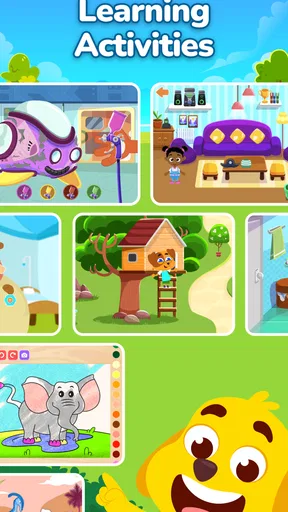
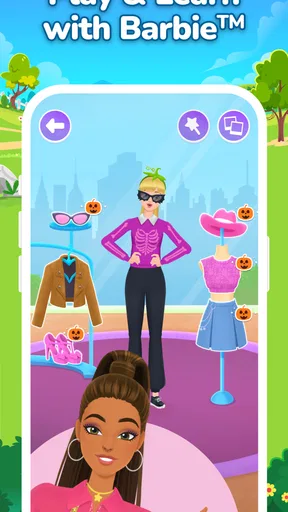
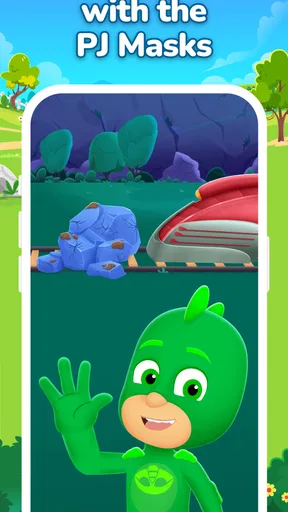

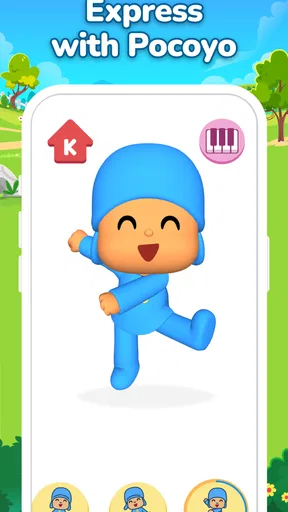
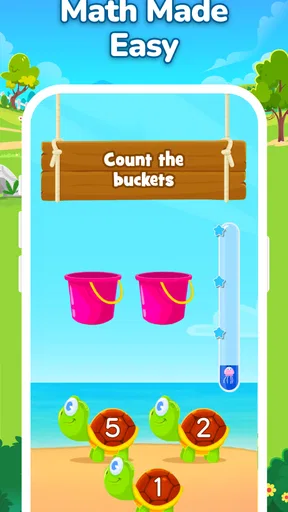
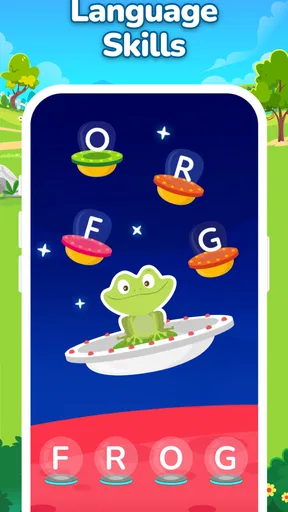
Our Review of Kiddopia - Kids Learning Games
 Analysis by Appyee
What stands out to me about Kiddopia is the idea of learning through play: children can move between activities that feel like games while practising early academic and creative skills. That mix can be useful when a child is curious but not in the mood for a formal lesson. I’d treat it as a playful part of a day, rather than a substitute for conversation, reading together, or hands-on activities away from a screen.
What the play-and-learn approach changes
In an education app, the challenge is getting a child to return to an activity long enough to engage with it. Kiddopia’s game-based format makes that feel less like sitting down for schoolwork and more like choosing something to explore. For a parent, that can make a short quiet moment easier to manage; for a child, it gives a more inviting route into practising skills.
The balance matters, though. A lively game can hold attention without every minute becoming meaningful practice, so I’d pay attention to how my child responds: are they trying, thinking, and talking about what they did, or simply tapping through? A quick question afterward—such as asking them to explain a choice or show what they made—can turn a screen activity into a small shared learning moment.
How I’d fit it into an ordinary day
Picture a rainy afternoon when dinner is still being prepared and a young child needs something to do nearby. I’d offer one activity, stay within earshot, and let the child choose whether to try a number game or a creative task. When the activity ends, I’d ask them to show me what they enjoyed. That keeps the app from becoming an automatic background distraction and gives me a simple way to see whether the content is a good fit.
For a similar reason, I’d use it in short, intentional windows rather than handing over a device with no stopping point. If a child is getting tired or frustrated, a puzzle that seemed inviting a few minutes earlier may stop being useful. A snack, a break, or a non-screen activity can be the better next step. The app may help fill a gap in the day, but it works best when an adult still sets the rhythm.
Choosing activities without turning play into a lesson
Because Kiddopia brings different kinds of activities together, it can suit a household where one child enjoys numbers and another prefers making things. I would let the child’s interest guide the first choice, then occasionally suggest a different kind of activity so the app does not become limited to the one familiar game. That small change can help a parent notice which formats encourage patience and which ones hold attention only briefly.
I would also avoid treating progress as a test. The useful question is not whether a child has completed everything, but whether they are comfortable exploring and willing to try again. If a child gets stuck, I’d sit with them and talk through the choice rather than immediately taking over. That makes the adult’s role supportive without turning a playful activity into a performance check.
Where it sits beside other learning options
Compared with a single-purpose counting or alphabet app, Kiddopia’s broad selection may be more appealing when a child’s interests change from day to day. A focused app can be the better choice when a family wants repeated practice in one specific skill, while a printed book, blocks, or drawing materials offer tactile play and fewer screen demands. I see this app as one option in that mix, not a replacement for those alternatives.
That distinction helps set expectations. A child who wants a quiet digital activity with varied choices may enjoy it more than a child who prefers physical toys or needs an adult to guide every step. If the goal is structured instruction in a particular subject, I’d look for a resource built specifically around that goal. If the goal is a playful way to explore, the wider format is a more natural fit.
First Impressions and Interface
Hey there, fellow parents and curious minds! So, I recently got my hands on an app called Kiddopia - Kids Learning Games. If you're in the market for an educational app that promises to keep your little ones entertained while they learn, stick around because I’ve got some thoughts to share.
Opening up Kiddopia for the first time, I was immediately greeted with vibrant colors and friendly animations that grabbed my attention. It's pretty clear the app was designed with kids in mind; everything is intuitive and straightforward, so even if your child is tech-savvy, they’ll have no problem navigating through.
First Impressions and Interface
In the children’s education category, I’d put Kiddopia in the broad, play-led camp rather than alongside a course that follows one fixed sequence. Kiddopia Inc. is the developer, and its appeal is the chance to make a learning activity feel approachable without asking a child to begin with a worksheet-style task. The app is free to install, but in-app purchases range from $0.99 to $99.99 per item, so I’d check the purchase details with an adult before letting a child browse independently.
It has an Everyone content rating, was released on June 26, 2018, and the current version is 26.02.16, with Android 8.0 as the minimum OS. Those details make it easier to judge device compatibility before setting it up. The app has a 4.0 average from around 16,000 ratings and more than 5 million installs, which suggests plenty of families have tried it, though popularity alone can’t tell me whether a particular child will enjoy its style.
Learning Made Fun
One of the standout features of Kiddopia is how it seamlessly blends education with entertainment. As a parent, I’m always on the lookout for apps that strike this balance. The app offers a variety of games that cover a broad spectrum of learning areas, from math and language to creativity and critical thinking.
The math games, for instance, range from simple counting exercises to more complex puzzles that challenge older kids. What’s cool is that these games adapt to your child’s learning pace, making it less likely they’ll get frustrated or bored.
Creativity Unleashed
If your kiddo is more of a Picasso in the making, Kiddopia has them covered too. There are sections dedicated to drawing, coloring, and even music. The drawing tools are easy to use, and there’s a variety of colors and brushes to choose from. It’s a lovely way for kids to express themselves creatively.
Making the first session work
For a first try, I’d sit with the child for a few minutes and let them choose an activity rather than demonstrating every option. That gives a parent a quick sense of whether the child can make sense of the interface and whether the activity itself holds their attention. It also avoids the common trap of an adult steering the session toward what seems educational while the child is still figuring out what they actually enjoy.
One useful approach is to treat a session as a small experiment: offer a math activity on one day and a creative one another time, then notice which one invites the child to explain, repeat, or build on an idea. This is more informative than judging the app by how long a child stays on the screen. If they ask to show a drawing or talk through a puzzle, that is a stronger sign of engagement than silent tapping.
Families may also wonder whether they need to be present throughout. I’d use the app as an independent activity only after seeing how the child navigates it and understanding how purchases are presented. With younger children especially, an adult nearby can help with choices and prevent accidental spending. That’s not a reason to avoid it; it is a sensible part of introducing any child-facing app with paid items.
Parental Controls and Customization
Another big win for me is the parental controls. You can easily set time limits on how long your child can play, which is a lifesaver for those of us trying to manage screen time. Plus, the app allows you to customize the experience based on your child’s age, ensuring the content is always age-appropriate.
Where the trade-offs show
The range of activities is also the main trade-off. A child who likes variety may appreciate being able to switch between different kinds of play, but a parent looking for a tightly planned sequence in one subject may find a broad collection less focused than a dedicated learning tool. I would not choose it as the only resource for a specific classroom goal or as a way to measure whether a child has mastered a skill.
There is a practical cost consideration as well. Although the app is free to install, the listed in-app purchase items span from $0.99 to $99.99, a wide enough range that I would review the purchase options before handing over a device. I would also be cautious about assuming that “free” means every activity is available without payment. Checking what is accessible in your own setup first is the easiest way to avoid a disappointing interruption once a child has settled into a game.
Another limitation is that screen-based play cannot provide the texture of crayons, blocks, or a book shared on the sofa. Creative activities can be a nice starting point, but I’d encourage a child to continue the idea offline—draw something on paper, count objects around the room, or tell me about a character or choice. That simple handoff gives the app a supporting role instead of letting it crowd out other kinds of play.
Subscription and Value
Now, let’s talk about the elephant in the room: the subscription model. While Kiddopia offers a free trial, unlocking the full range of features requires a subscription. For what it’s worth, the price feels justified given the breadth of content and the quality of the educational material. But, it’s something to consider when budgeting for apps.
Who is most likely to enjoy it?
I think Kiddopia is most useful for families who want a child-friendly digital option with both learning and creative activities, especially when a child enjoys choosing between different forms of play. It may suit a parent who wants a short activity while preparing a meal, waiting at home on a rainy day, or sharing a calm moment before moving on to something else. The best fit is a child who is happy to explore and a caregiver who can keep screen use purposeful.
I’d hesitate to recommend it to someone seeking a completely free experience, since paid items are part of the app’s model, or to a family that wants a very specific curriculum with clearly sequenced lessons. It may also be a poor match for a child who becomes distressed when a screen activity ends or who is more engaged by physical play. In those cases, a short read-aloud, a puzzle on the table, or a focused subject app may be the kinder choice.
My Final Thoughts
All in all, Kiddopia - Kids Learning Games is a solid choice if you’re looking for an app that’s both educational and fun. It’s well-designed, offers a wide range of activities, and most importantly, keeps kids engaged. Whether you’ve got a budding mathematician or an aspiring artist, there’s something here for everyone.
So, if you’re ready to dive into a world of learning adventures with your child, give Kiddopia a try. It might just be the app you’ve been searching for to make learning feel like playtime.
Privacy and Permissions
See what permissions an app requests and how it handles your data.
- Photos/Media/Files
- read the contents of your USB storage, modify or delete the contents of your USB storage
- Storage
- read the contents of your USB storage, modify or delete the contents of your USB storage
- Camera
- take pictures and videos
- Other
- view network connections, full network access, prevent device from sleeping, read Google service configuration
Verdict
Strengths of Kiddopia - Kids Learning Games
- Engaging and colorful graphics.
- Wide variety of educational games.
- Simple interface for young users.
- Regular updates with new content.
- No third-party ads for safe play.
Limitations of Kiddopia - Kids Learning Games
- Requires subscription for full access.
- Some games need internet connection.
- Limited offline content available.
- Can be repetitive for older kids.
- High battery consumption on devices.
Similar Picks in This Category
View All
Duolingo: Language Lessons
Duolingo4.7

Google Classroom
Google LLC2.8

Unacademy: Learn & Crack Exams
Unacademy3.2

Bible App for Kids
Life.Church4.4

Cake - Learn English & Korean
Cake Corp.4.7

Brainly: AI Homework Helper
Brainly4.5
Frequently Asked Questions
What age group is Kiddopia suitable for?
Kiddopia is designed for children aged 2 to 7 years old. The app offers a wide range of educational and entertaining activities that cater to various developmental stages within this age range. It's perfect for preschoolers and early elementary children, providing a safe and engaging learning environment.
Is Kiddopia available on both Android and iOS platforms?
Yes, Kiddopia is available on both Android and iOS platforms. You can download it from the Google Play Store for Android devices and the Apple App Store for iOS devices. This cross-platform availability ensures that your child can enjoy learning on any device you have at home.
Does Kiddopia require an internet connection to function?
Kiddopia can be used both online and offline. While an internet connection is required to download the app and access certain features, many of the games and activities can be played offline. This makes it convenient for use in places where internet access may be limited or unavailable.
Are there any in-app purchases or subscriptions required in Kiddopia?
Kiddopia offers a subscription model to access its full range of features and content. While there is a free version with limited access, subscribing unlocks all games, activities, and updates. It’s important for parents to understand the cost structure to make an informed decision that fits their budget.
What types of learning activities does Kiddopia include?
Kiddopia includes a variety of learning activities that cover subjects such as math, language arts, creativity, and social skills. The app features puzzles, songs, and interactive games designed to enhance cognitive development. It also includes activities that promote critical thinking and problem-solving skills.
